01
Vehicle arrives
Ready for inspection.
ACV Auctions / Self-Inspection App
Reducing inspection time by 5% by turning a nested interface into a single working screen.
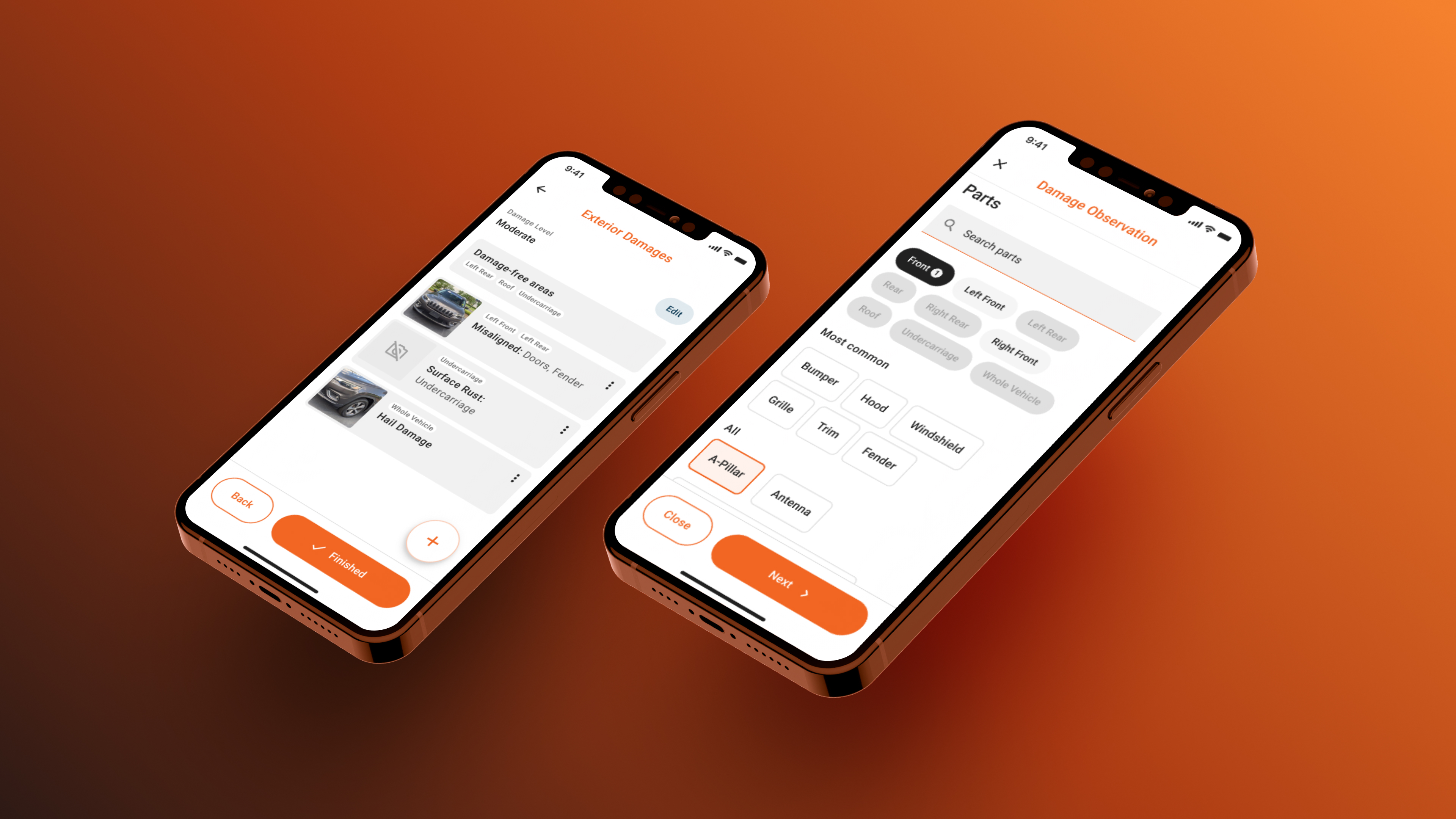
Background
ACV is a vehicle auction marketplace. Its inspection app enables professional inspectors to document a car’s condition and produce a report that supports pricing, buyer transparency, and the vehicle’s auction listing. Once a vehicle is inspected, it is listed on the marketplace.
01
Ready for inspection.
02
Using the mobile app (Focus of this project).
03
Full damage and mechanical data disclosed.
04
Inspection unlocks the listing.
The problem
18.7
minutes per vehicle (approx. 20 vehicles a day)
Inspection duration was stagnating at 18.7 minutes. Every minute spent fighting the UI is a minute not spent inspecting. An inspected vehicle is a vehicle ready to sell.
Vehicle inspectors are paid per vehicle — speed is income. The app forced them to confirm undamaged areas they'd already assessed mentally.
Removing data wasn't an option — legal and transparency requirements kept every field in place. The only lever was changing how that data got collected.
It didn't know the difference between a pristine car and a damaged one. Every zone, every part, damaged or untouched — disclosed one screen at a time.
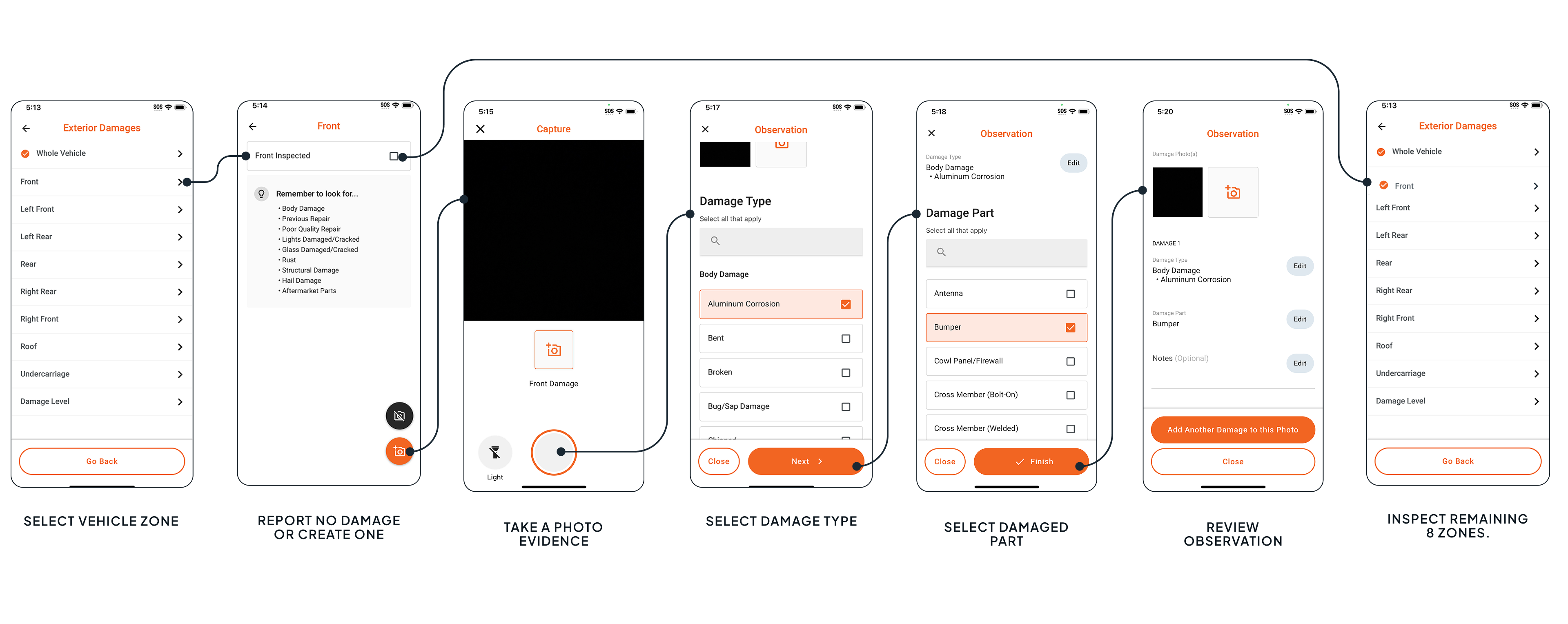
I questioned why an undamaged car needed nine confirmations and checked inspection data to see how much damage vehicles actually had.
I proposed recording only damage, turning the zone screen into a filter, and making the long lists easier to scan. The aim was to let inspectors filter and select instead of repeatedly navigating between screens.
Design Hypothesis
(Source: internal product data)
Design decision
Instead of completing nine zones in the same way, inspectors document only damage. The screen adapts to the information, reduces repetitive steps, and respects the expertise of people who already know how to inspect vehicles.
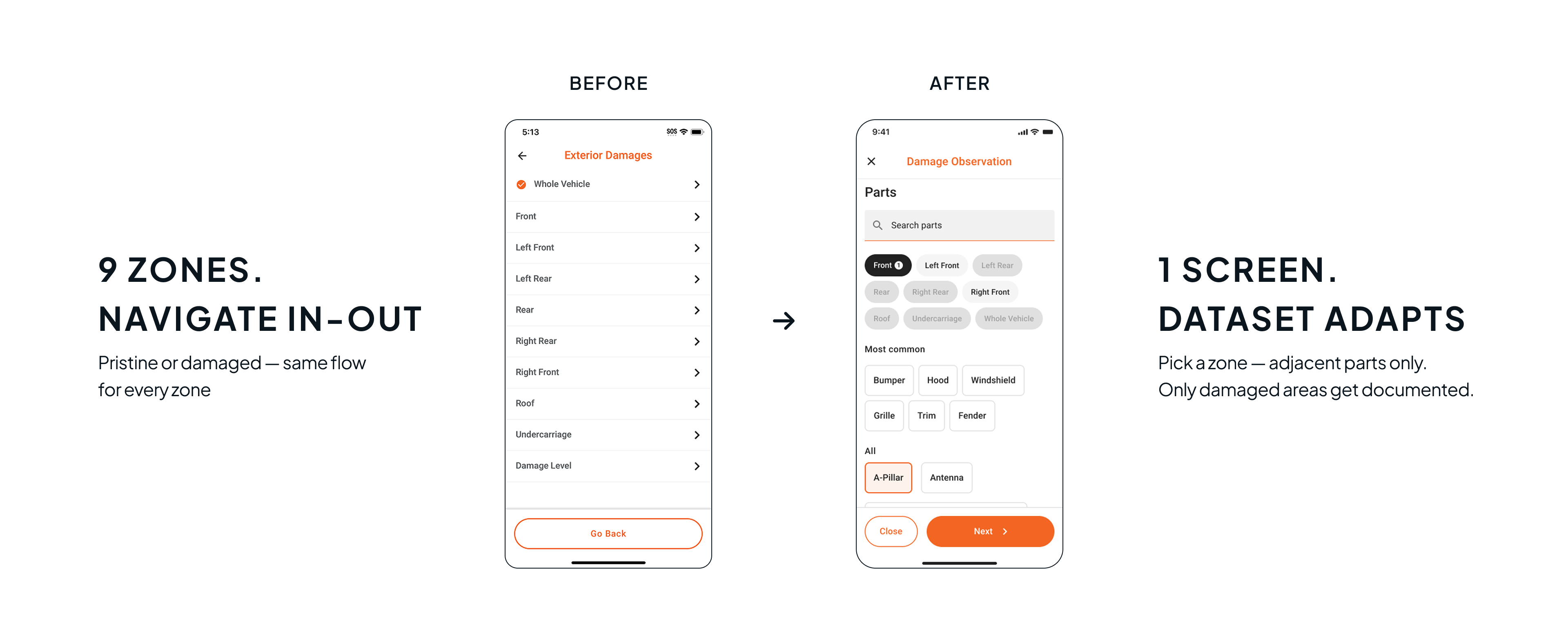
The Iteration Process
All four inspectors completed the task, but two valued the flexibility and reduced navigation; two preferred the guidance of the existing flow. The challenge was to reduce repetitive steps while helping inspectors keep track of what they had checked.
Users must capture photos that clearly reflect the damage they disclose. When a part is selected, adjacent zones stay active and distant ones fade, reducing the decision space. Working with engineering, we mapped every contiguous area-part combination and turned it into a selection rule.
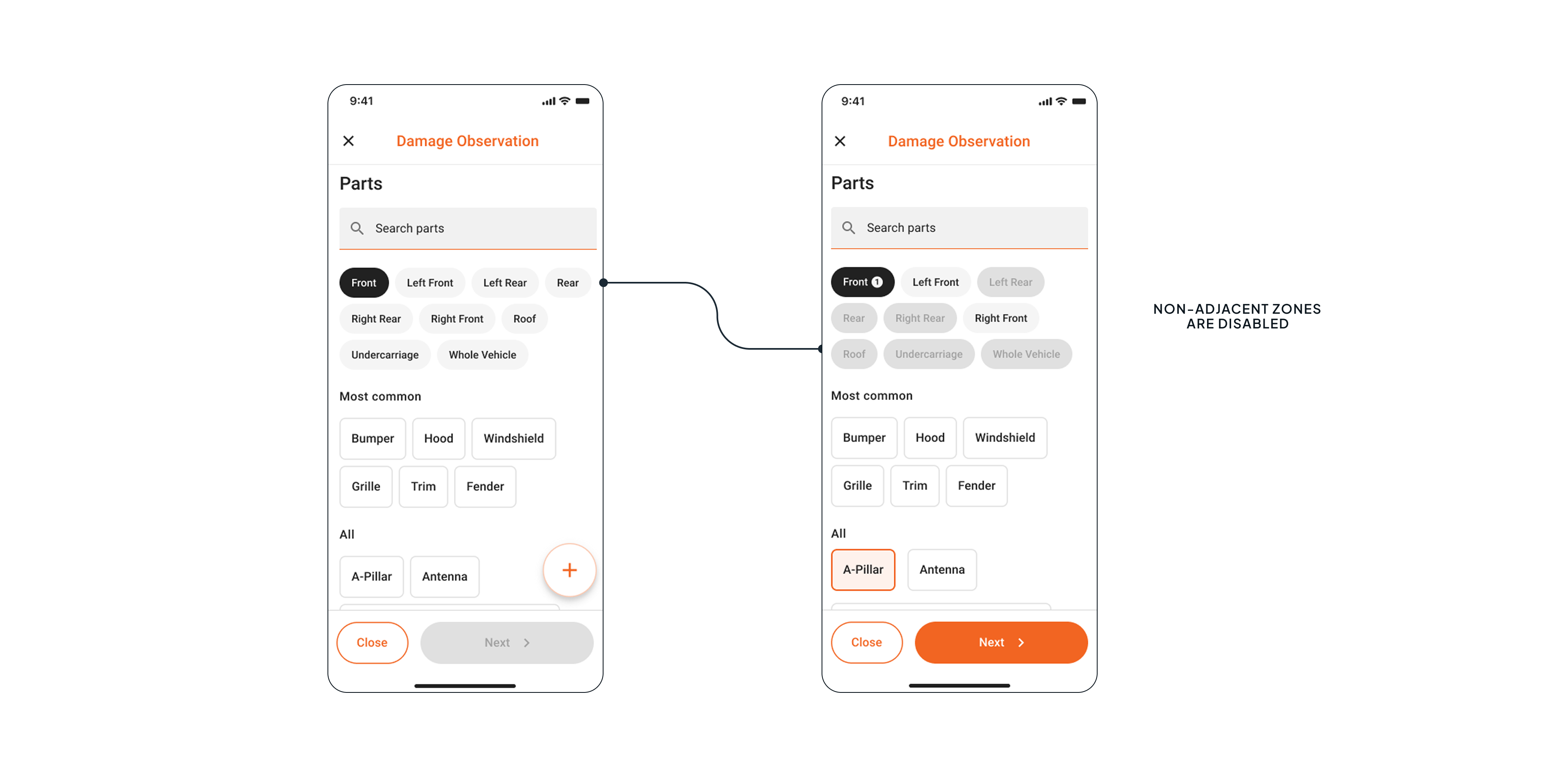
All seven inspectors preferred Photo → Part → Damage type over the alternative sequence. This matched how they moved around the vehicle and shaped the new flow.
In the rare scenario that inspectors forget to check a panel, the UI helps them keep track of panels with and without reported damage.
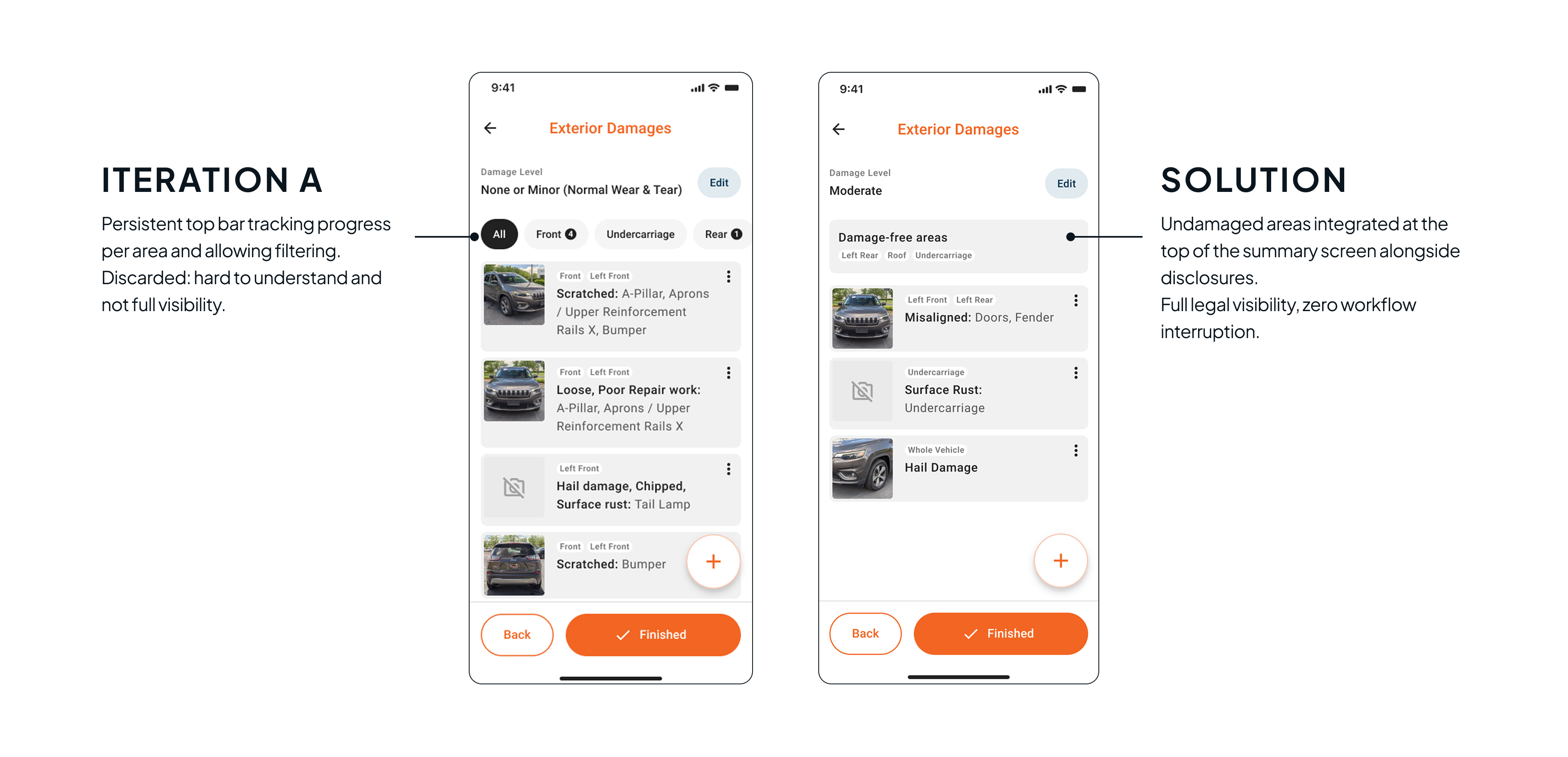
A persistent bar for confirming undamaged areas divided attention and proved confusing, so I removed it. Instead, a final summary shows undamaged zones alongside recorded disclosures: complete visibility without interrupting the inspection.
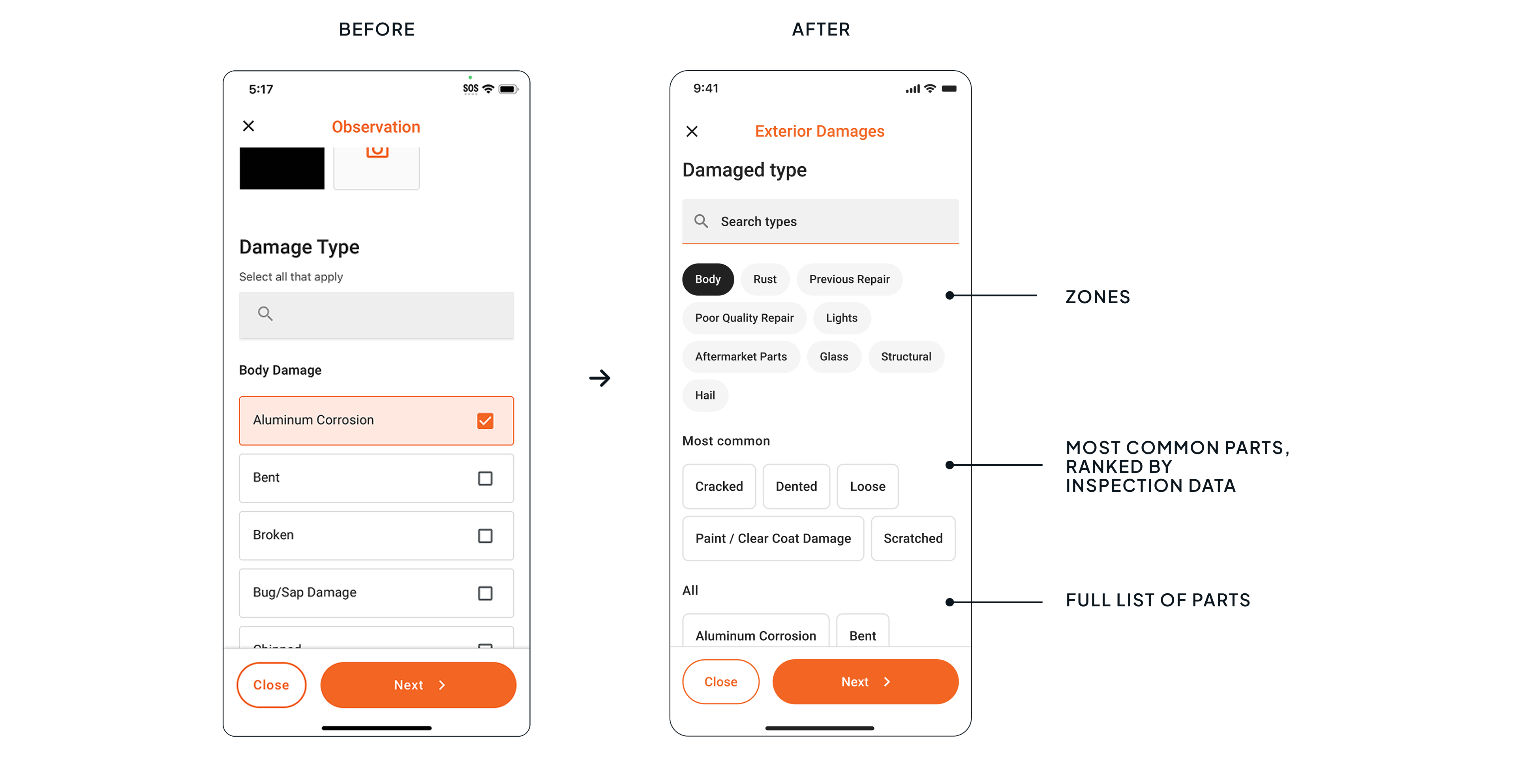
The new layout surfaces the most common damage types and parts at the top (internal product data).
This puts 80% of damage entries one tap away without scrolling. The old list forced inspectors to scroll through every option alphabetically across different screens. Chips now replace rows, making more options visible per screen.
The new flow maintains the information needed for a transparent transaction while allowing product logic to help people do the work they already know best.
Outcome
17.8
minutes per vehicle after the change, compared with an average of 18.7 minutes over the previous five months.
+1
A 5% reduction in inspection time frees up approximately 20 minutes per day. Estimated capacity for one extra vehicle per day, ready to sell.
Less
app fatigue — inspectors spend more time on the car, not the interface.
Reflection
It was clear that the interface was consuming time, but not that a flatter flow would preserve trust before every technical constraint was resolved. In future projects, I would measure the existing flow before redesigning it, so I could see where inspectors spend the most time and identify the clearest opportunities for improvement.
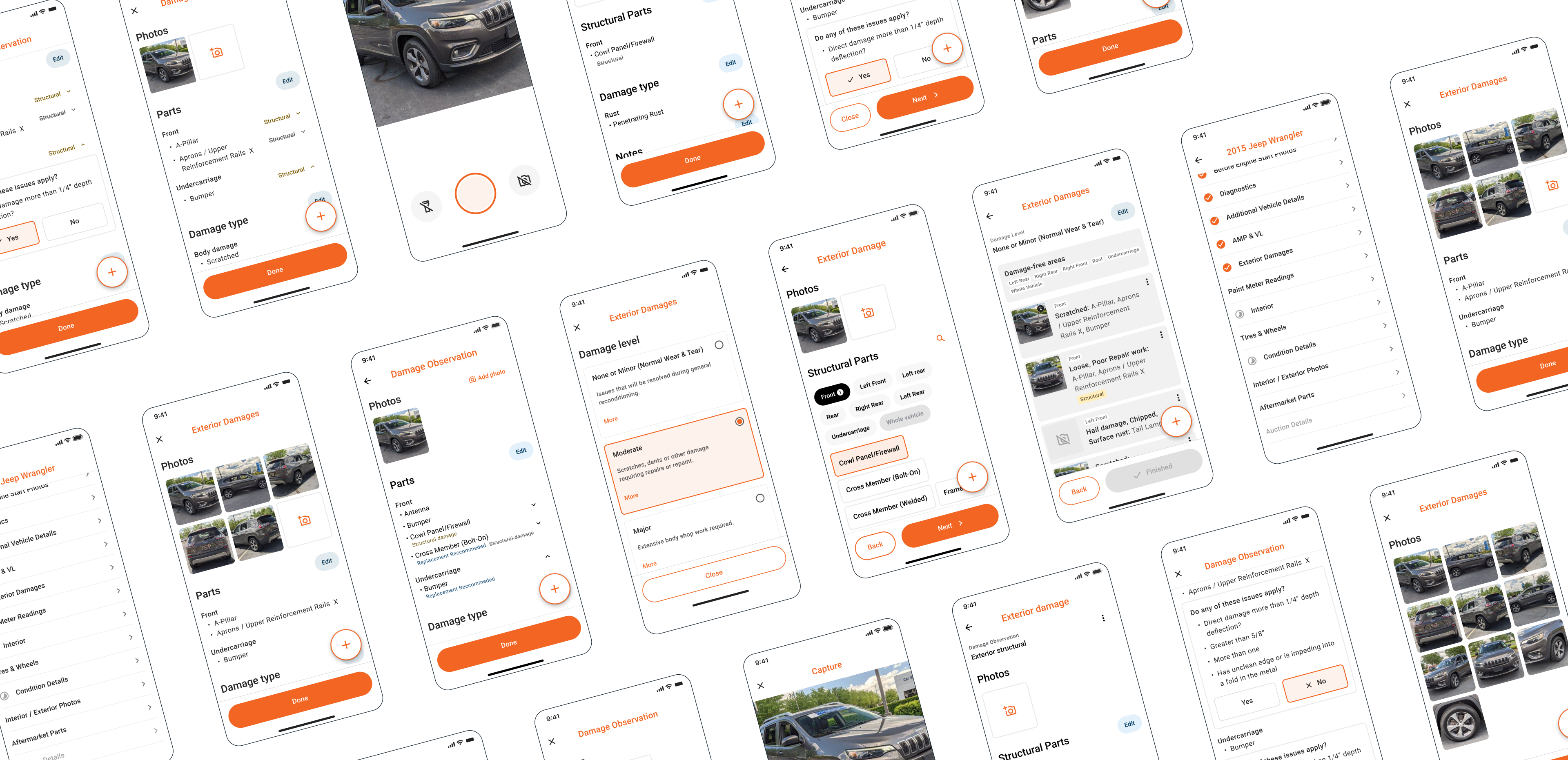
Screens
Prototype
Watch a damage observation from photo capture to completion, or try the prototype in a new tab
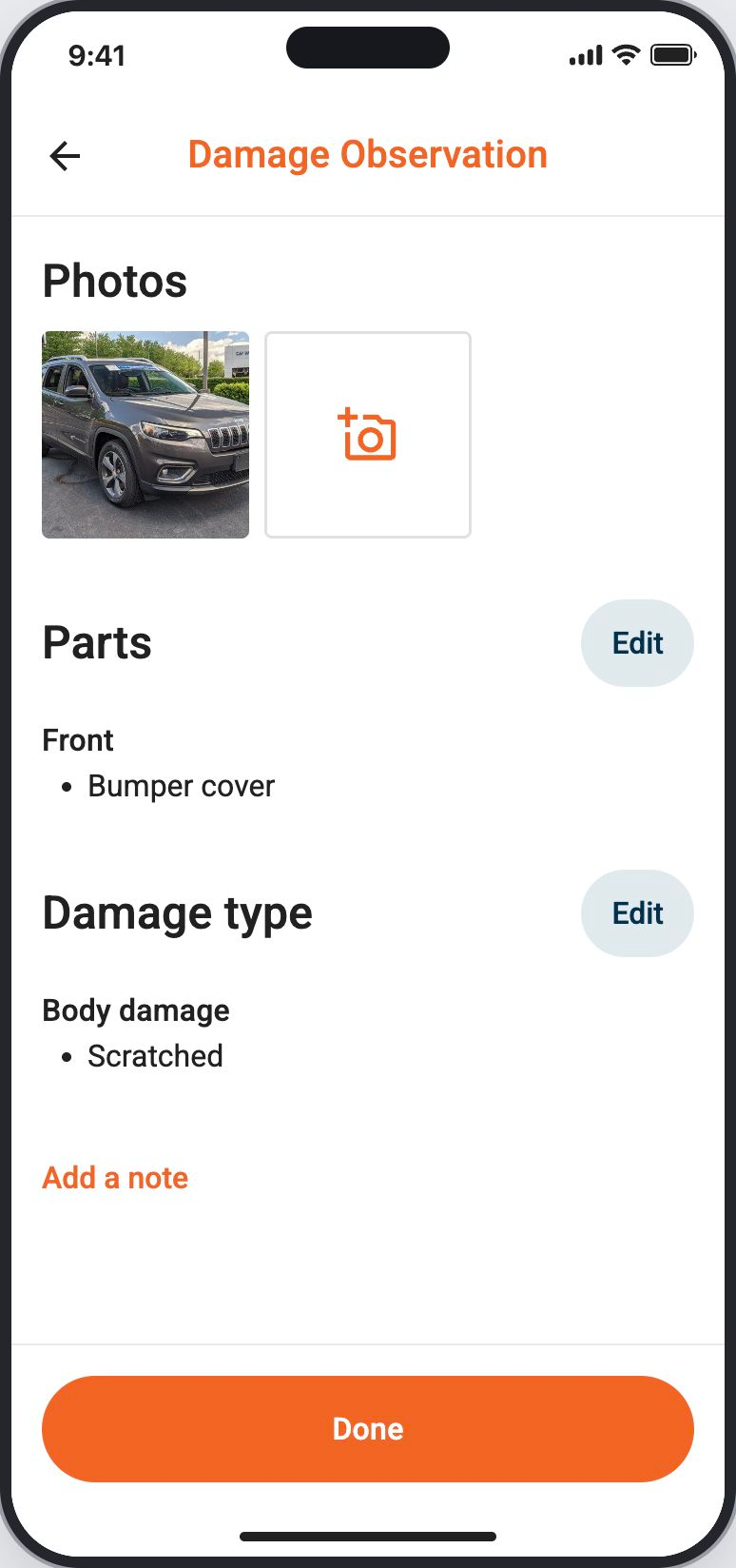
Demo: open Exterior Damages, take a photo, select Front and Bumper cover, choose Scratched, save the observation, set the damage level, and finish.