Photo capture
User takes requested photos with the phone app.
ACV Auctions / Guided Photo Capture
Redesigning guided vehicle photography so customers can capture clearer evidence for damage detection and pricing.
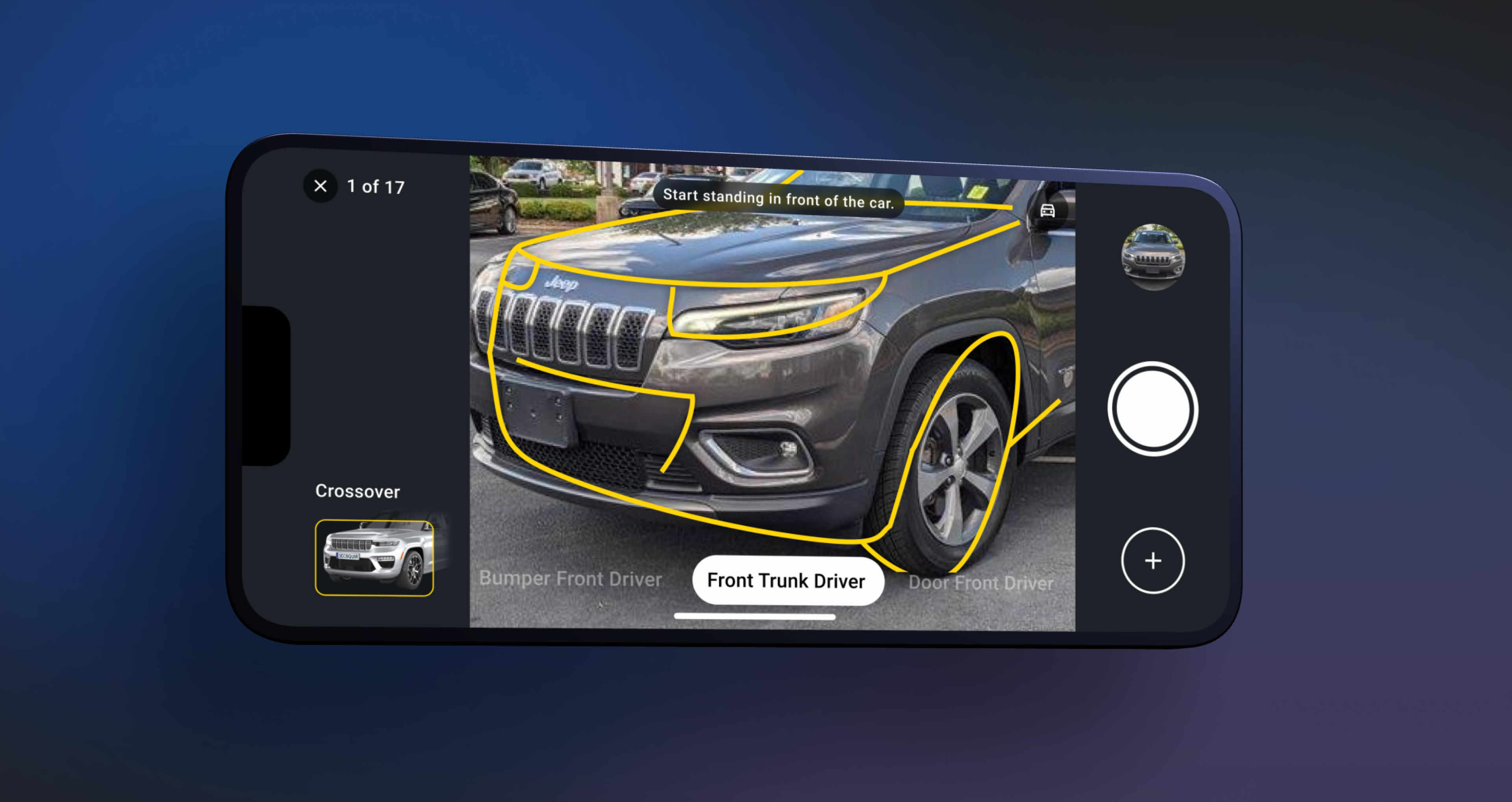
Project summary
The app lets users photograph their vehicle to receive a condition report and an estimated selling price. AI analyzes the photos for exterior damage and estimates potential repair costs.
Condition analysis process
User takes requested photos with the phone app.
Photos are reviewed for good quality and details with AI.
If the photos meet the quality criteria, the app identifies damage on the vehicle.
A condition report with identified damages is created for price estimation.
UX research findings
Discovered opportunity
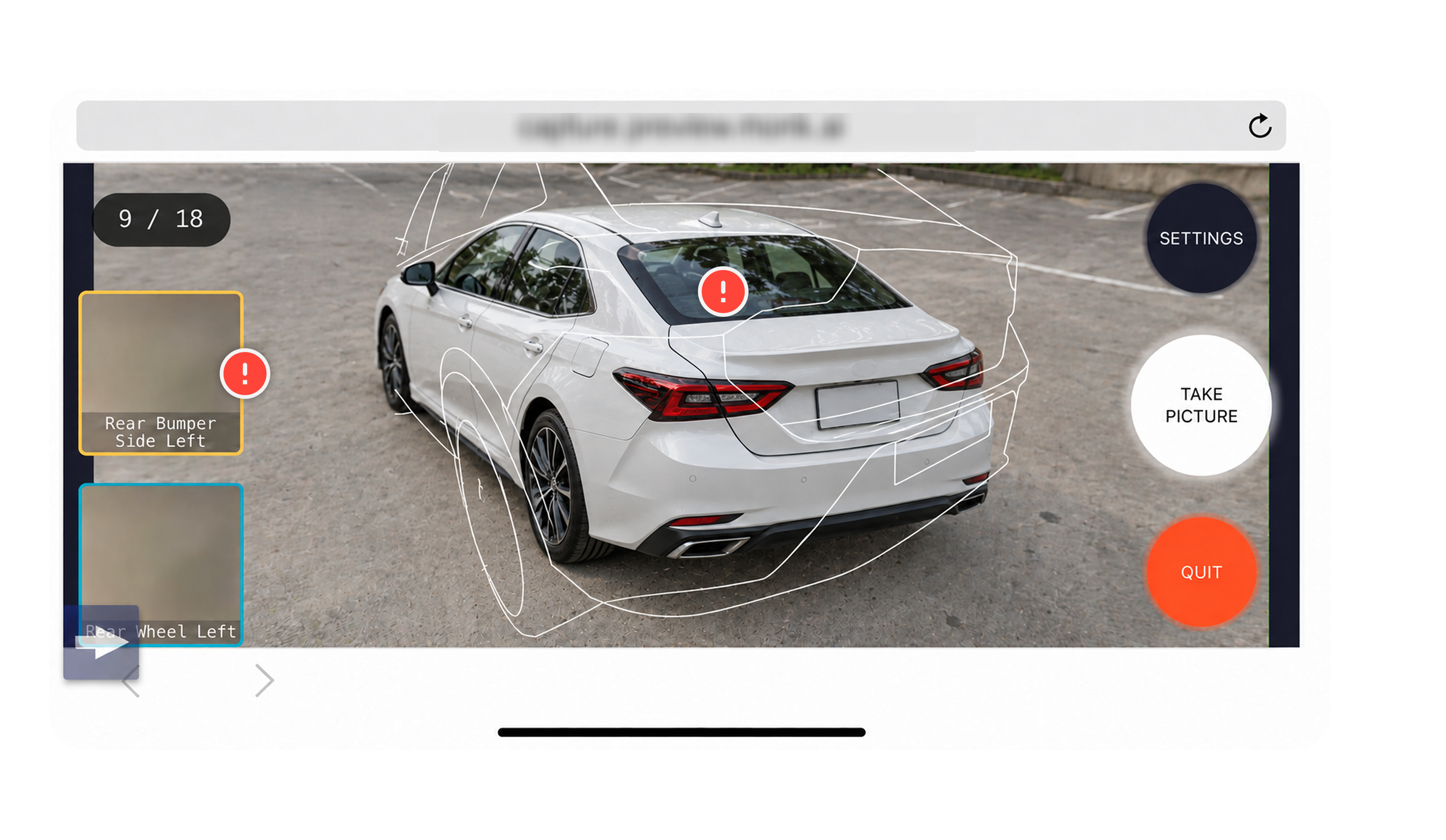
Make the capture state clear, then let people review or retake a photo without losing their place. Prior research also found that a processing spinner made some consumers think they had to wait before continuing.
Problem statement
I translated the research findings into a capture experience built around familiar mobile camera and gallery patterns. I focused on four priorities: showing users where to stand and how to move, simplifying overlays and labels, making photo feedback clear, and keeping review and retakes within the capture flow.
Show users where to stand, how to hold the phone, and how to move between shots.
Simplify the silhouette, strengthen contrast, and replace specialist terms.
Explain photo quality issues so users can understand what needs to change.
Keep photo status, review, and retakes within the capture flow.
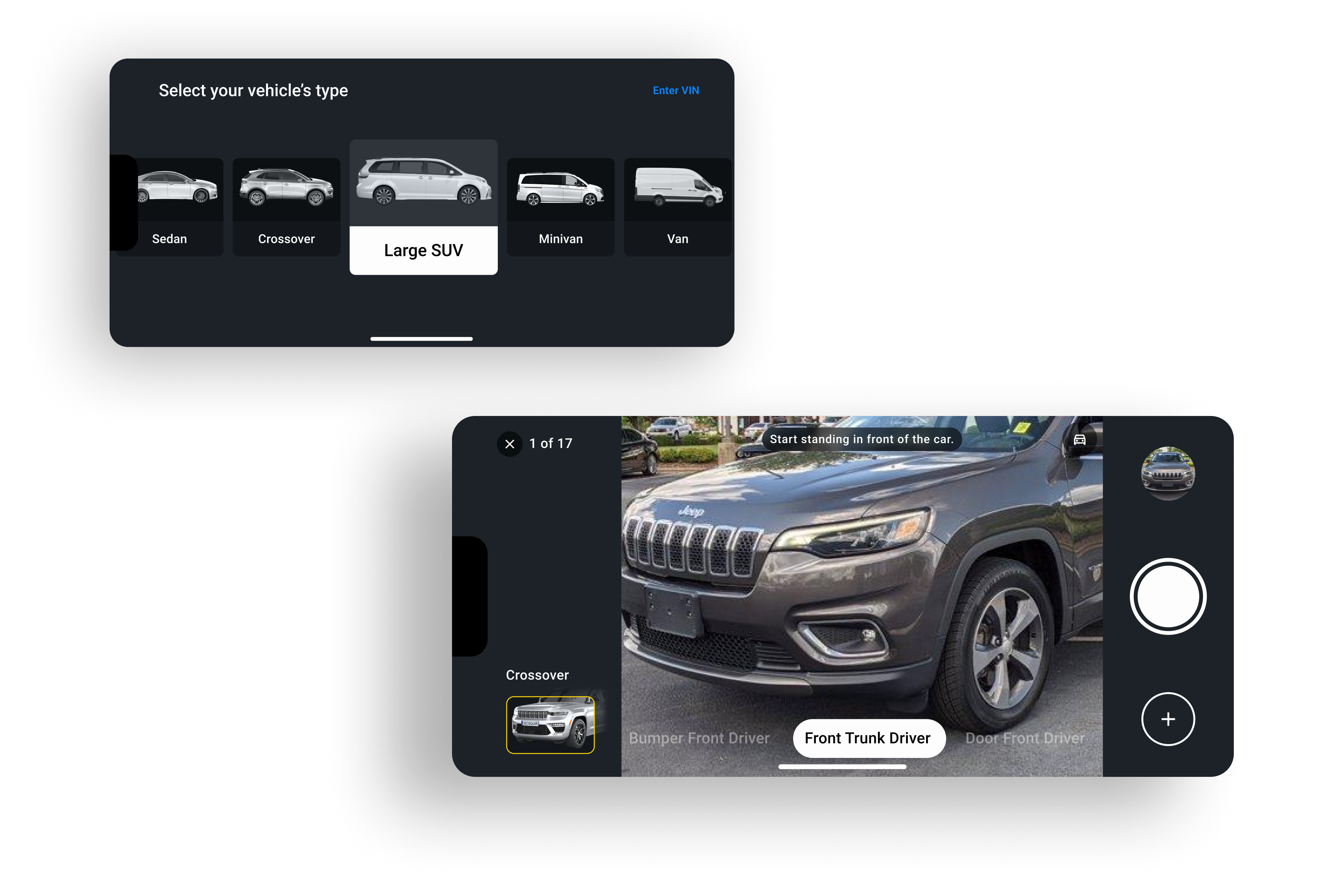
Exploring how to guide the shot
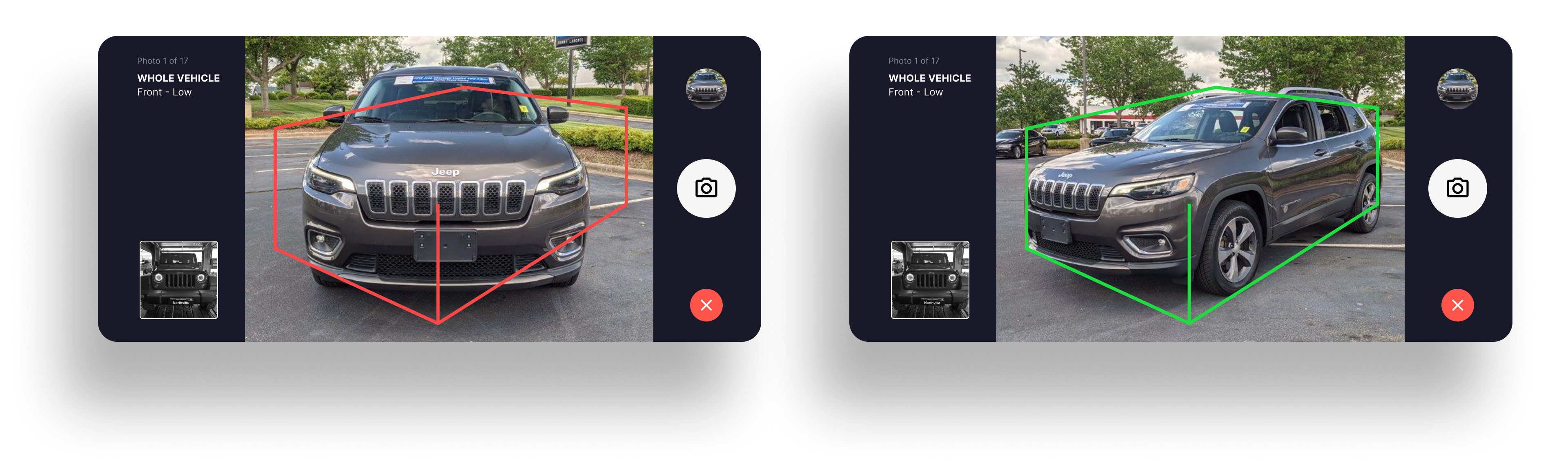
Geometric wireframes provide a target box to help users frame the vehicle.
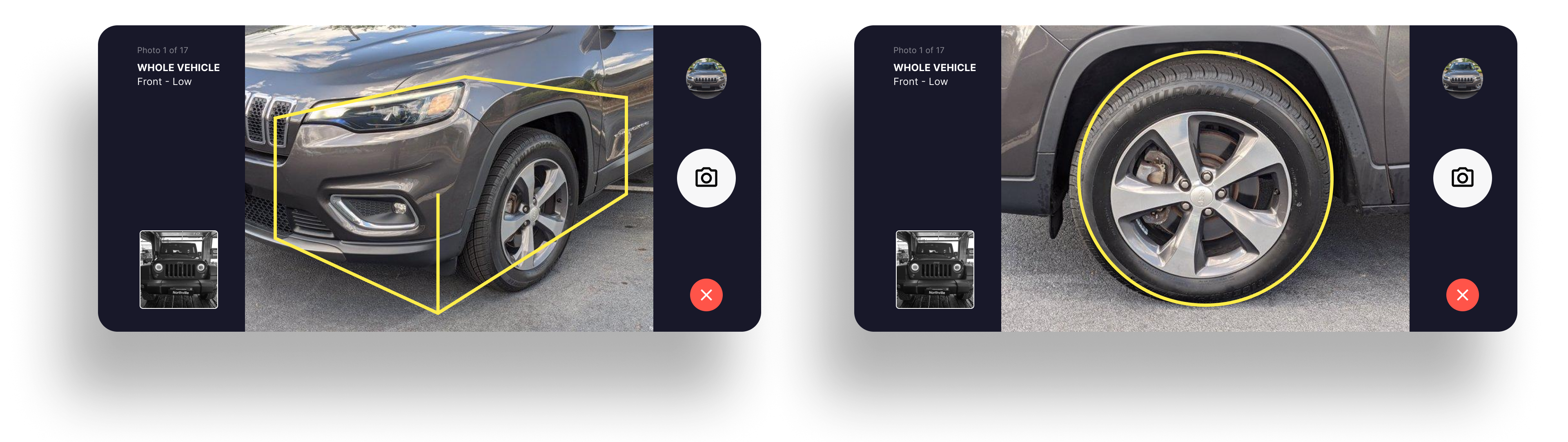
The overlay turns green when the vehicle is aligned with the expected framing, and red while it remains misaligned.
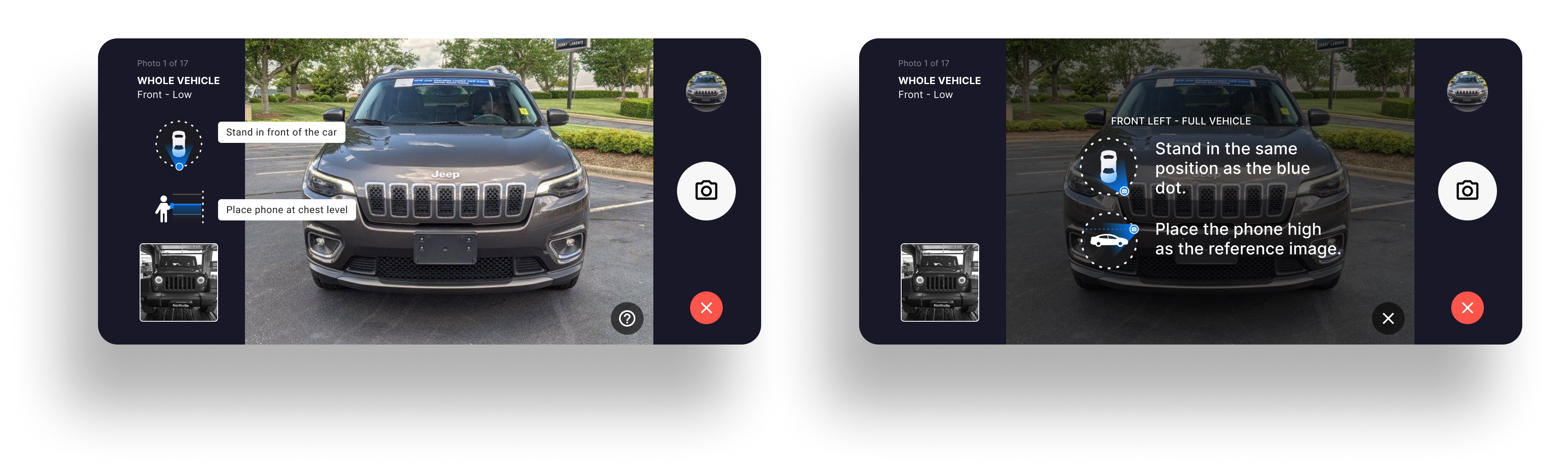
Instructions and icons show where to stand around the vehicle and how high to hold the phone.
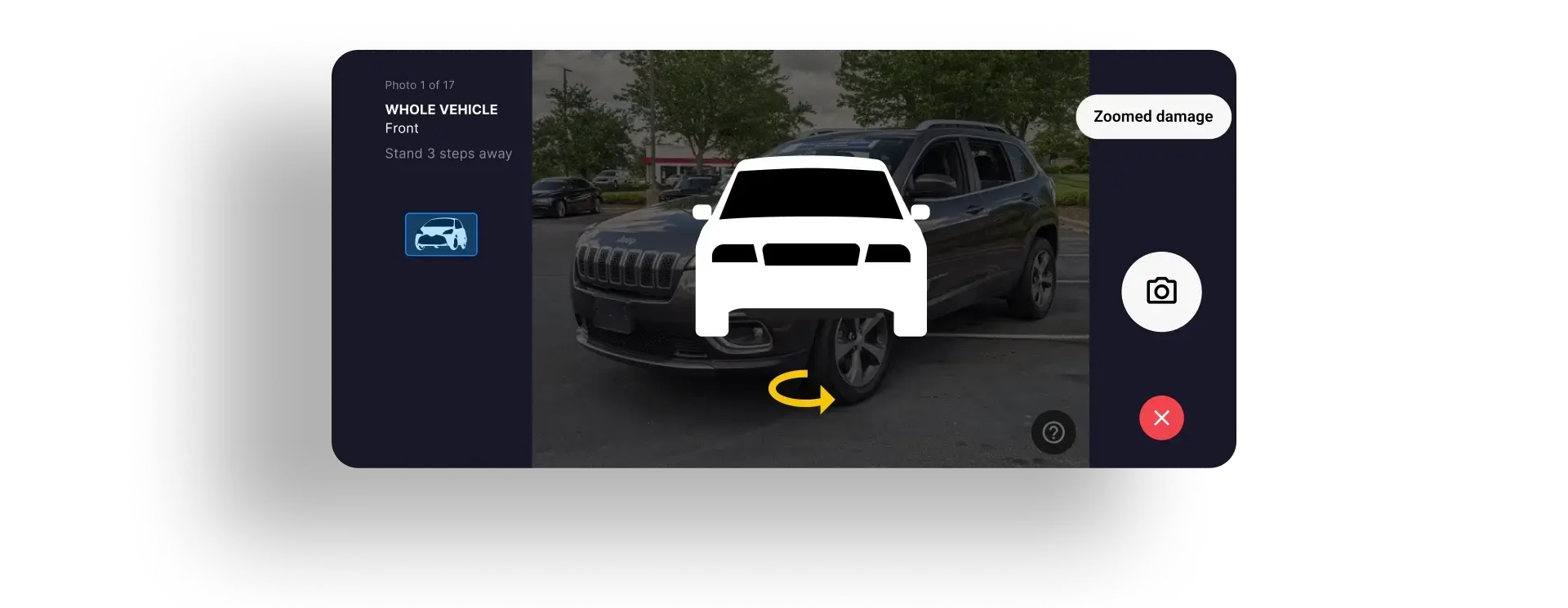
An animation demonstrates how to move from one photo position to the next.
Some concepts were not clear or simple enough; others required too much development time or faced technical constraints. What we learned from these explorations shaped the improvements that follow.
Improvements
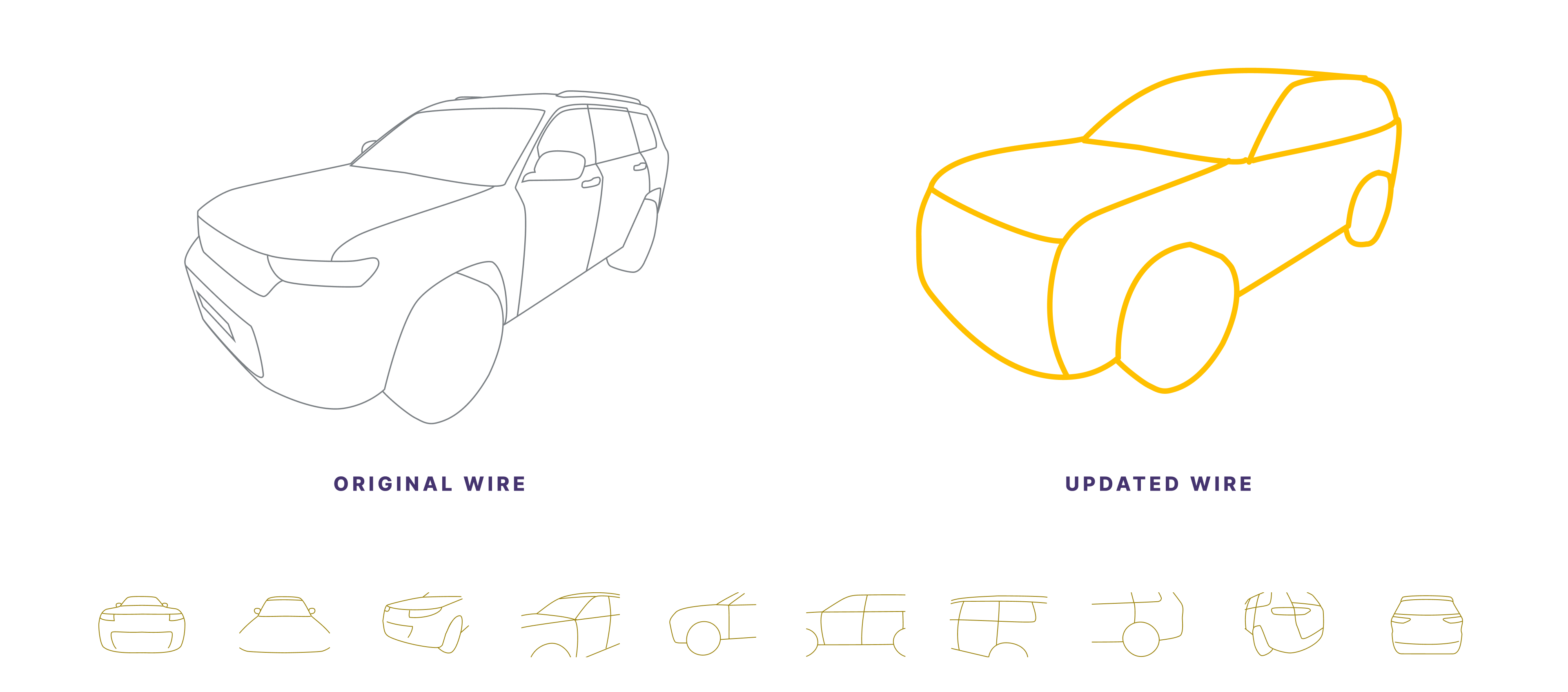
Use thicker lines and greater color contrast.
Remove details that do not help compose the required view.
Use a simpler vehicle shape that remains useful across body styles.
Keep the starting point and next movement visible during capture.
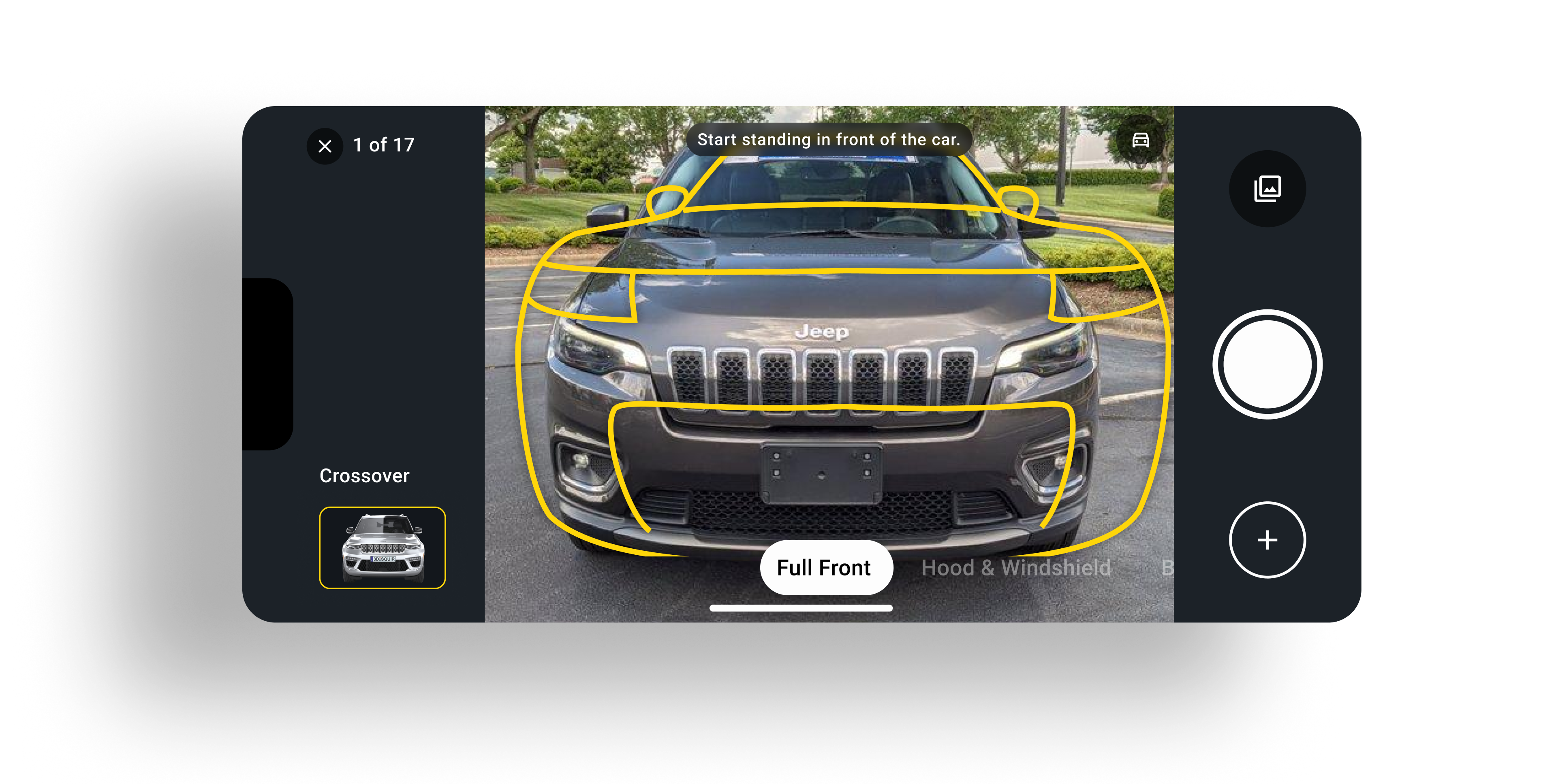
Provide a more detailed position cue on demand, aligned with the scene animation for that shot.
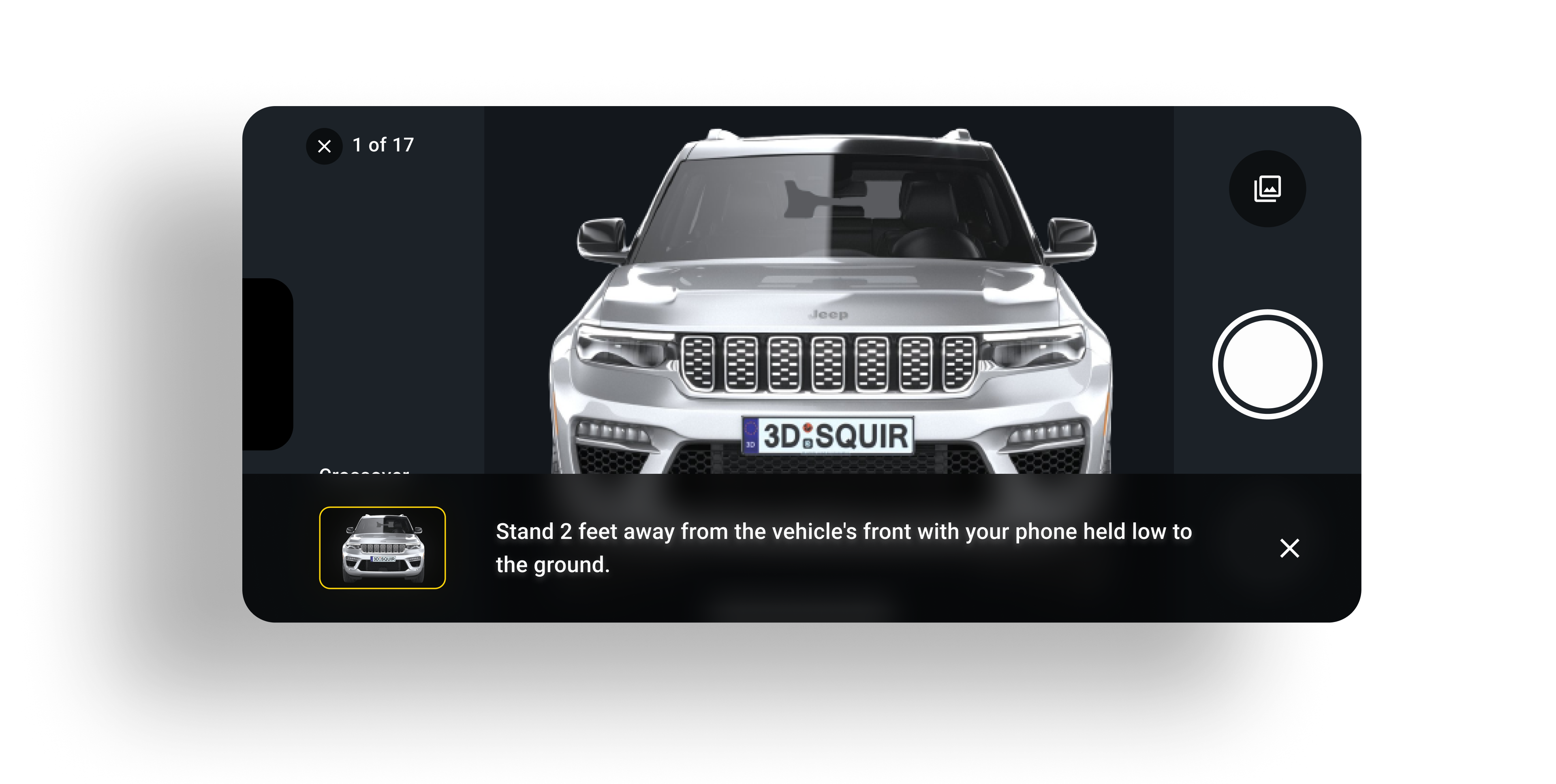
Animations show users where to stand and how to frame each shot.
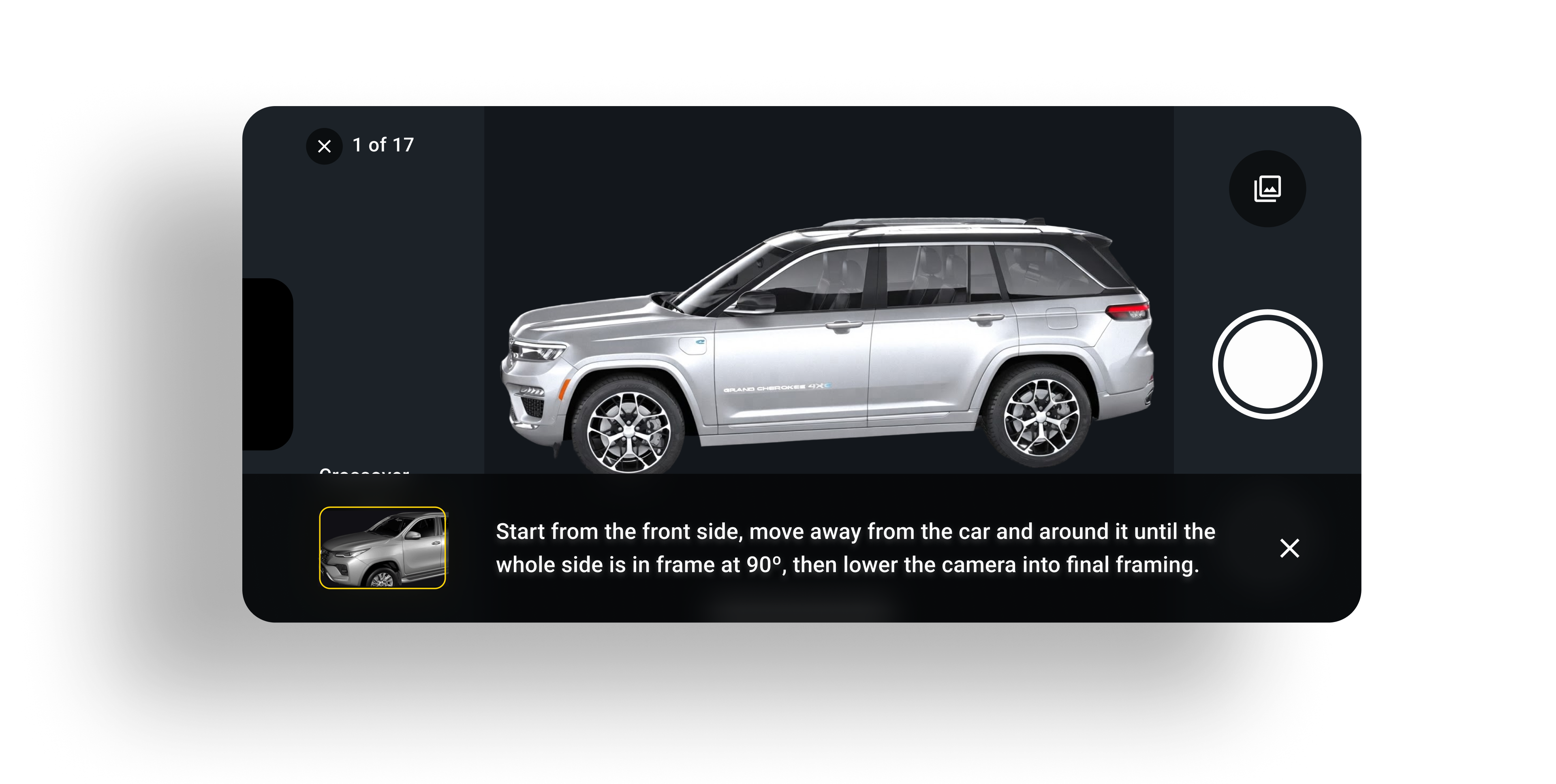
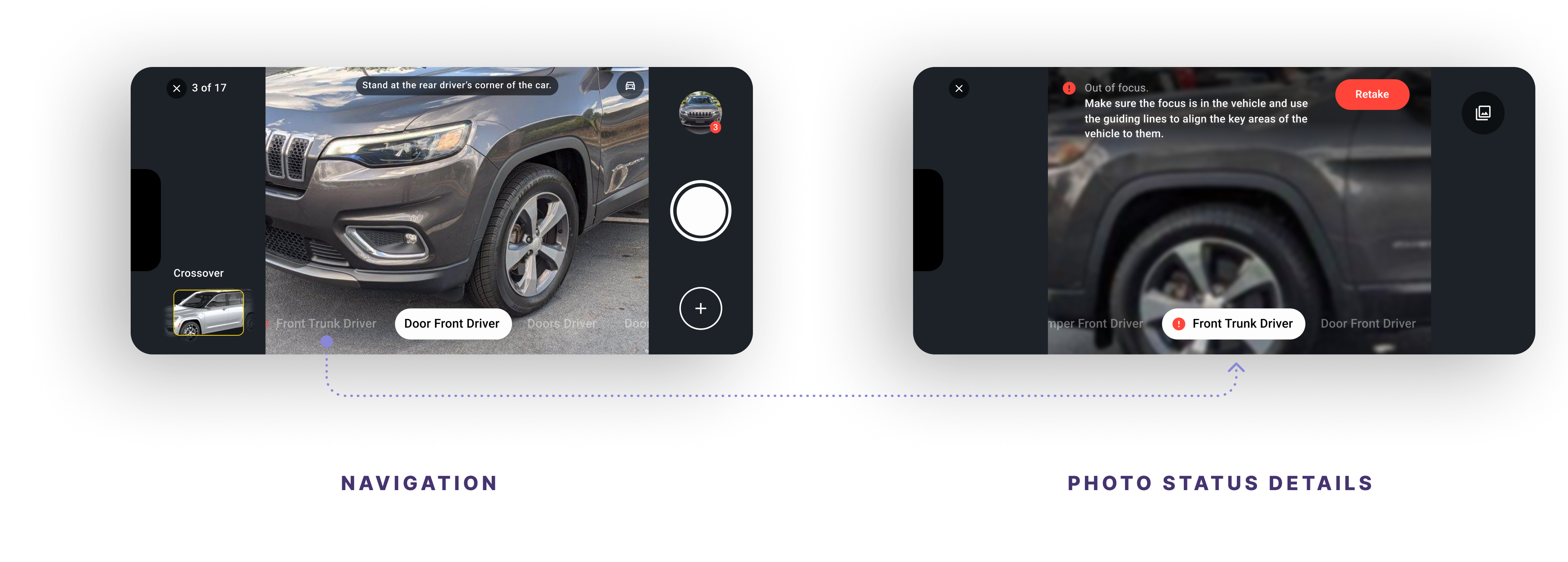
A sequential path can guide consumers around the car and reduce backtracking while keeping navigation freedom through the bottom controls.
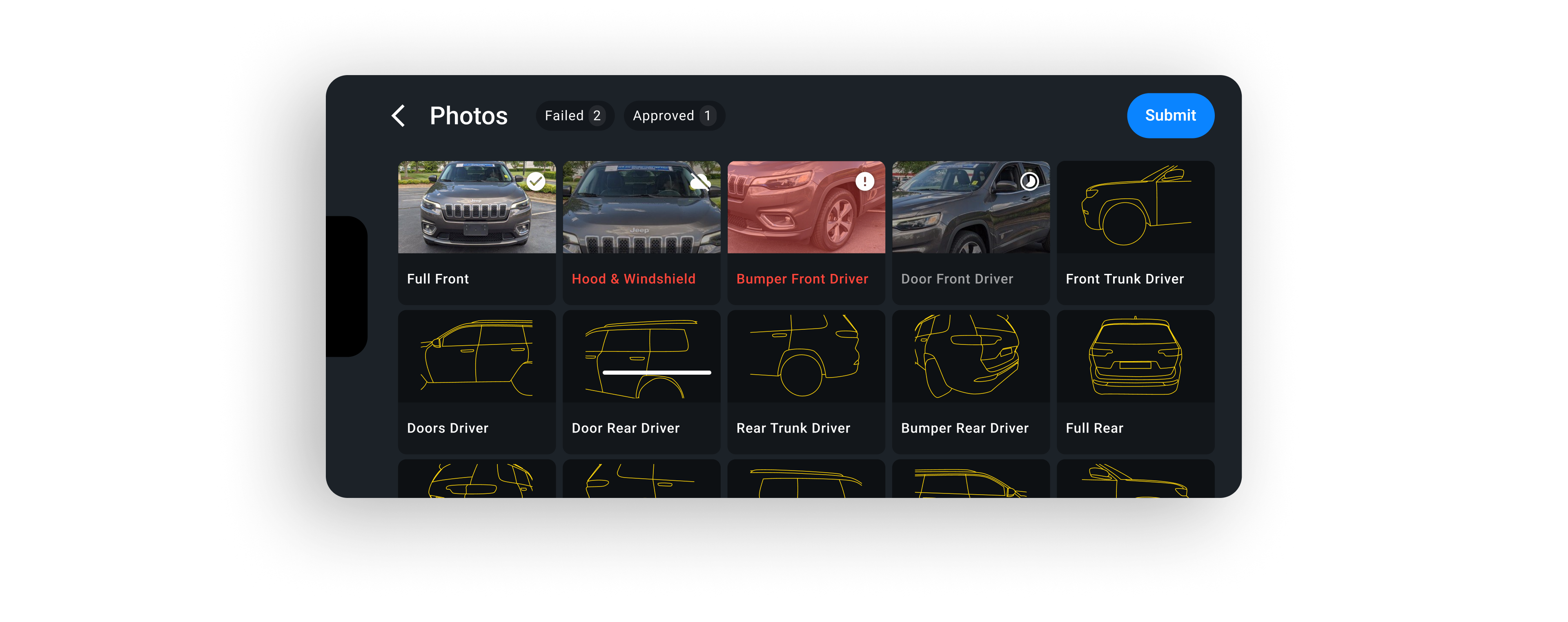
Status and photo details are kept within the camera interface to support moving between capture and review in non-sequential flows.
The gallery brings captured and remaining shots into one view, with a route back to the camera or a photo detail for reviews and retakes.
Outcome
Navigation remained unclear and needed further refinement. These findings were qualitative; we did not measure changes in task time or retake rates.
Clearer guidance and easier recovery were intended to improve photo quality and reduce retakes. We did not measure those outcomes.
The work resulted in a demo and an SDK that two major automotive brands implemented in their dealerships.
Takeaway
The interface should make each shot clear on its own, with additional guidance on positioning, framing, and retakes available when users need it.